Getting started - exploring extracted data

Say you have been tasked with building an application that requires you to know when celebrities are on the screen. Where do I get started with ContentAI? Do I need to bring my own video? What if I don't have a video? Do you have some existing data I can look at to start researching/exploring? The answer to that is yes, we do!
Walkthrough of a ContentAI POC dataset: what the extraction pipeline produces, how to load the JSON, and what questions the data can answer. Aimed at engineers getting started with computer-vision output in a real media archive.
Looking at the ContentAI extractor registry index, the section People/Celebs are the extractors we will take a look at first.
We are going to look at the data extracted from the first episode of Game of Thrones. We partnered with WarnerMedia Innovation Lab last year and created a Scene Finder POC that allowed you to search our content using your voice. As part of the POC, we ran a handful of extractors, that included aws_rekognition_video_celebs and azure_videoindexer, against all episodes from Game of Thrones' first season.
Setup
First, if you haven't already, please get your machine ready.
- pre-requisites
- install
- login
Explore
To see all extractors run against a content URL, open your favorite terminal, and follow along.
run
contentai content inspect s3://content-prod/videos/HBO/ai_got_01_winter_is_coming_263255_PRO35_10-out.mp4
results
EXTRACTOR                                    JOB                           RUN             DURATION
aws_rekognition_custom_labels__slate         1fx27Sg7ho5Ss7OJ2dlEVdlJ3G3   4 months ago    2m0.581303587s
aws_rekognition_video_celebs                 1lyOTJFJV5caBRyH9lLu4JgeKd4   2 weeks ago     41m26.498735643s
aws_rekognition_video_content_moderation     1fOhfo0Sl0JJwYeR8pFnM7PhNWy   5 months ago    30m24.77088081s
aws_rekognition_video_faces                  1fOhfo0Sl0JJwYeR8pFnM7PhNWy   5 months ago    36m46.132516944s
aws_rekognition_video_labels                 1jgb4rLO9euZnVz0G0sMeyYFW35   2 months ago    25m4.428876806s
aws_rekognition_video_person_tracking        1fOhfo0Sl0JJwYeR8pFnM7PhNWy   5 months ago    55m50.853379807s
aws_rekognition_video_segments               1hB3oEeLuMXVnkMjbAbmUnMwNV6   4 months ago    13m42.590688311s
azure_videoindexer                           1jgb4rLO9euZnVz0G0sMeyYFW35   2 months ago    1h3m52.266393889s
azure_videoindexer_keyframes_thumbnails      1jMoq6qOoJBV8OK1YGoWdZQ5TWj   2 months ago    3m40.632165709s
dsai_activity_classifier                     1caDfrs08FOZOyyAOs3BN7vm1Ej   7 months ago    2m40.582905658s
dsai_vinyl_sound                             1hB3oEeLuMXVnkMjbAbmUnMwNV6   4 months ago    7m21.280523309s
dsai_videocnn                                1hB3oEeLuMXVnkMjbAbmUnMwNV6   4 months ago    2h10m3.199547746s
dsai_vggish                                  1hB3oEeLuMXVnkMjbAbmUnMwNV6   4 months ago    6m1.001025229s
dsai_musicnn                                 1hB3oEeLuMXVnkMjbAbmUnMwNV6   4 months ago    14m22.772171216s
dsai_sceneboundary                           1hB3oEeLuMXVnkMjbAbmUnMwNV6   4 months ago    40m7.290656771s
dsai_name_entity_link                        1hB3oEeLuMXVnkMjbAbmUnMwNV6   4 months ago    8m21.495476727s
gcp_upload                                   1jgb4rLO9euZnVz0G0sMeyYFW35   2 months ago    2m0.354910943s
gcp_videointelligence_explicit_content       1fOhfo0Sl0JJwYeR8pFnM7PhNWy   5 months ago    19m44.845627038s
gcp_videointelligence_label                  1jgb4rLO9euZnVz0G0sMeyYFW35   2 months ago    12m23.366204179s
gcp_videointelligence_logo_recognition       1jgb4rLO9euZnVz0G0sMeyYFW35   2 months ago    1h33m16.668146386s
gcp_videointelligence_object_tracking        1fOhfo0Sl0JJwYeR8pFnM7PhNWy   5 months ago    54m8.987454474s
gcp_videointelligence_shot_change            1fOhfo0Sl0JJwYeR8pFnM7PhNWy   5 months ago    9m21.638129948s
gcp_videointelligence_speech_transcription   1fOhfo0Sl0JJwYeR8pFnM7PhNWy   5 months ago    16m22.991404066s
gcp_videointelligence_text_detection         1fOhfo0Sl0JJwYeR8pFnM7PhNWy   5 months ago    22m3.555742137s
got_intro_extractor                          1fYiwjwnYwKV4WdoYvrQmc57L1t   5 months ago    3m20.631187126s
metadata                                     1X5Zzdi7pdBvsqOCzfMlmMVVETU   11 months ago   2m20.41296872s
mediapipe_face_mesh_visualizer               1dyijsGOWl91BSJ13ZxgFxcMAlL   6 months ago    2h39m10.046606782s
my_extractor                                 1kRg2lIorY9jpKTU7p6la7j3fr4   1 month ago     2m0.369842079s
Extracted data
Download the data to your local so you can explore it.
download
For more info, please check out the ContentAI CLI data docs.
specific extractor(s)
This command will only download results from azure_videoindexer and aws_rekognition_video_celebs
contentai data --content s3://content-prod/videos/HBO/ai_got_01_winter_is_coming_263255_PRO35_10-out.mp4 -e azure_videoindexer -e aws_rekognition_video_celebs
all except extractor(s)
mediapipe_face_mesh_visualizer and azure_videoindexer_keyframes_thumbnails extractor results have been excluded (-x)
contentai data --content s3://content-prod/videos/HBO/ai_got_01_winter_is_coming_263255_PRO35_10-out.mp4 -x mediapipe_face_mesh_visualizer -x azure_videoindexer_keyframes_thumbnails
all extractors
Download size 2.32GB. In the previous section, we excluded mediapipe_face_mesh_visualizer and azure_videoindexer_keyframes_thumbnails because their combined file size is around 2GB.
contentai data --content s3://content-prod/videos/HBO/ai_got_01_winter_is_coming_263255_PRO35_10-out.mp4
view
cd ./content
code .
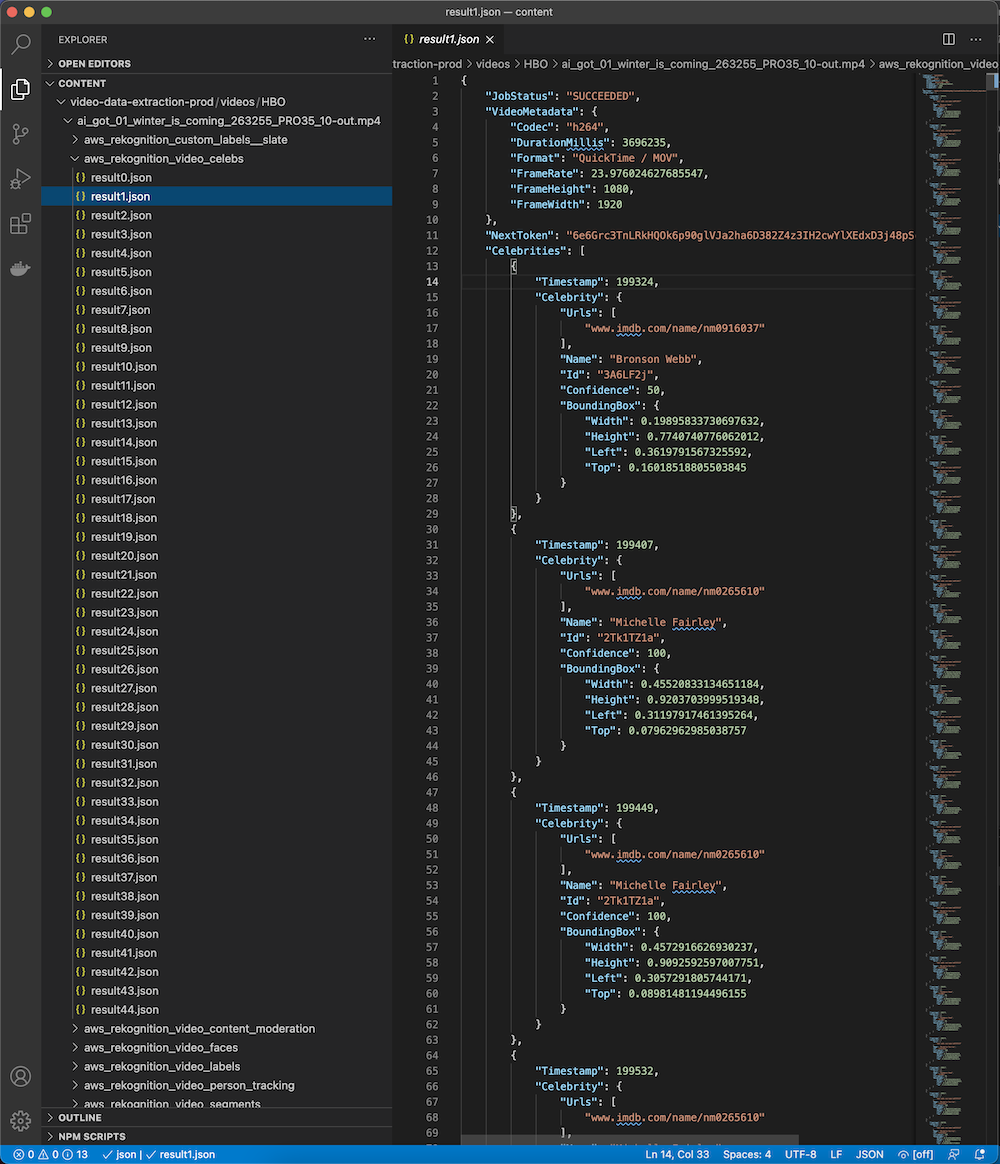
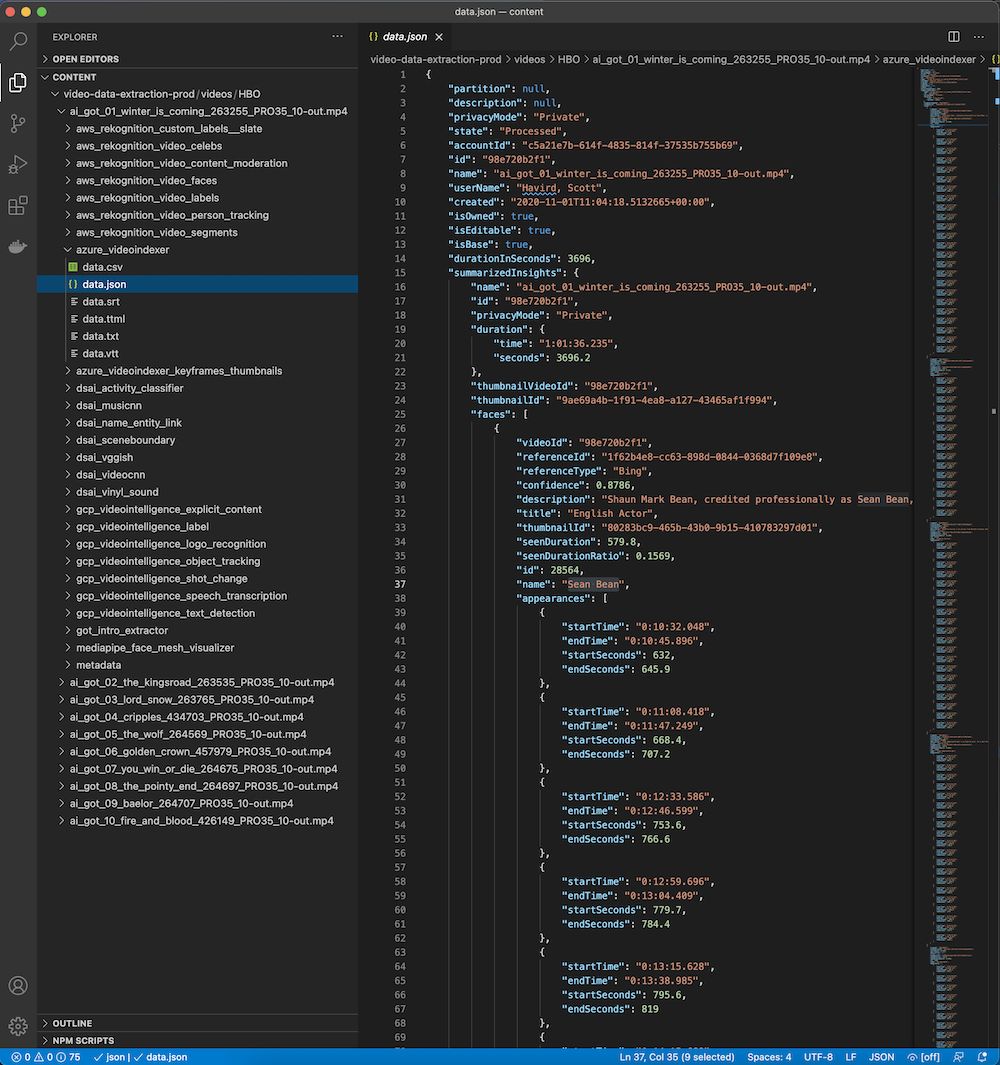
Let's take a quick look at the results from two extractors for now.
aws_rekognition_video_celebs
azure_videoindexer
validate
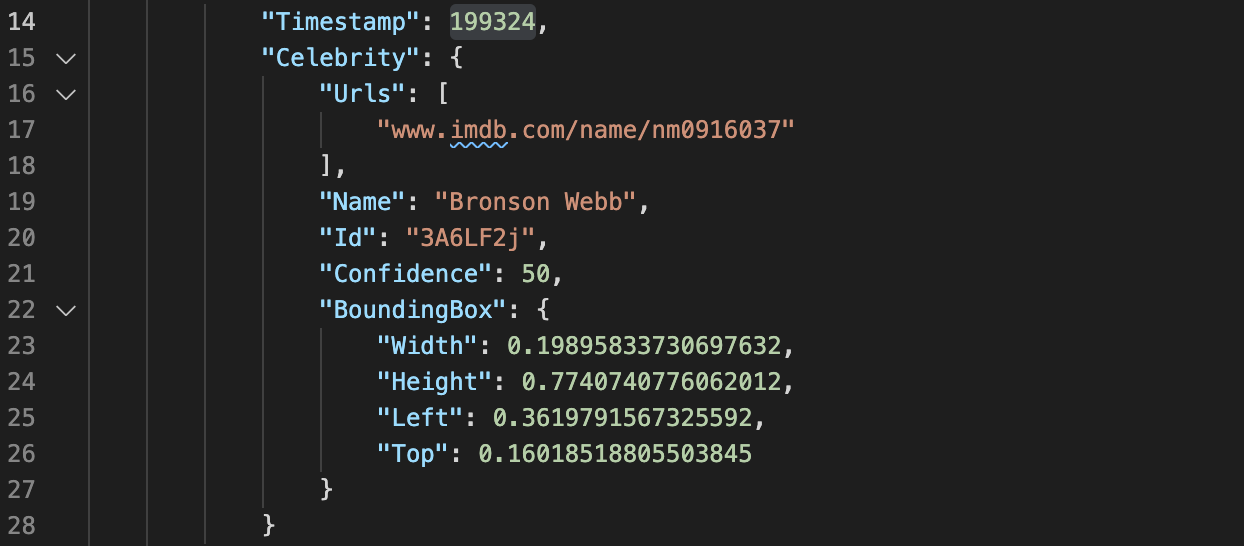
The extracted data typically gives you a timestamp (milliseconds) or time segment, depending on the extractor, of when a thing or character was on the screen.
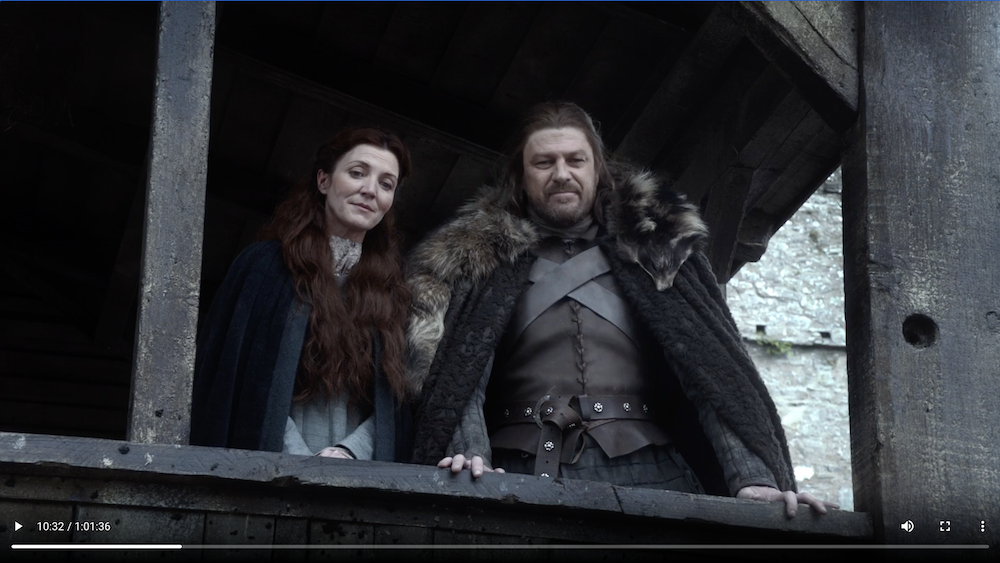
For the Scene Finder POC we allowed users to click on the search result card to deep-link into the video. You can take the timestamp from the results above and include them in the url below to quickly validate the results.
aws_rekognition_video_celebs
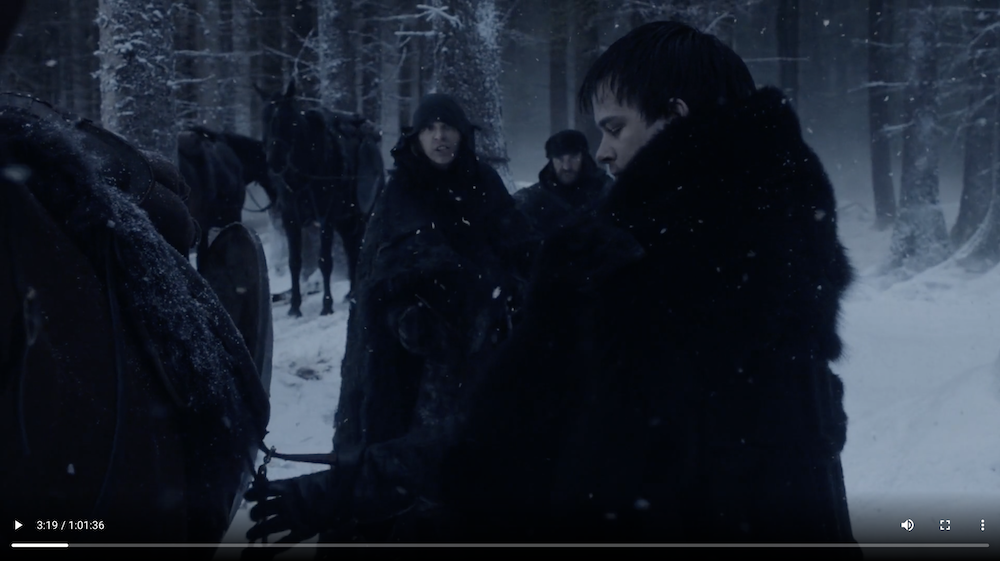
azure_videoindexer

Summary
We discussed steps to quickly start exploring the data produced from ContentAI extractors executed against Game of Thrones, Season 1 Episode 1.
In this blog post, we used a video from a previous POC. If you would like to use ContentAI and bring your own S3 bucket, we have documentation for you to get setup.
What's next?
In our next post, we will discuss building an extractor to create a JSON file that includes celebrities and time segments for when they are on screen. We will use our extractor python template to help us get started.
Related Posts
- FaceMatcher3000 POC — Real-time facial recognition and matching
- Scene Finder POC — Voice-based video content discovery and analysis